
Your Clipboard,
AI-Supercharged
Copy a question, paste an AI answer. Native for macOS.
Lightning fast history access via ⌘V.
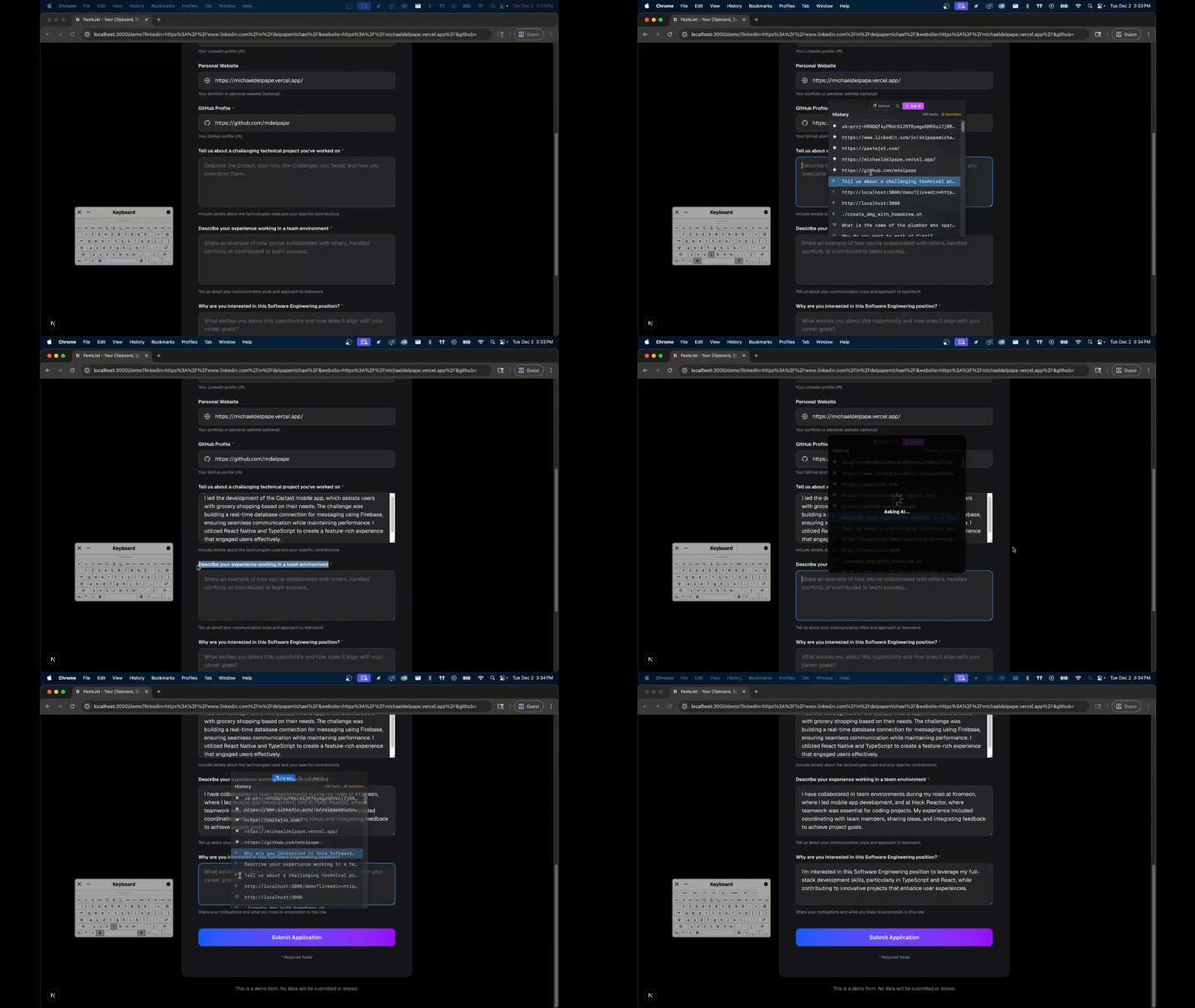
Loved by Mac Users
"PasteJet has completely changed how I work. Being able to access my clipboard history with just a hold is genius!"
Sarah Chen
Software Developer
"Finally, a clipboard manager that doesn't get in my way. The Command+V hold feature is so intuitive."
Michael Rodriguez
Product Designer
"I've tried dozens of clipboard managers. This is the only one I actually use every single day."
Emma Watson
Content Writer
"The native Mac integration is flawless. It feels like it should have been part of macOS from the start."
David Kim
Marketing Manager
"Lightning fast and incredibly reliable. I can't imagine working without PasteJet anymore."
Lisa Thompson
Data Analyst
"Simple, powerful, and beautiful. Everything a Mac app should be."
James Parker
Freelance Developer
"The hold-to-reveal feature is so natural. After a day, it became muscle memory."
Rachel Green
UX Researcher
"Privacy-focused and local storage? That's exactly what I needed. Great work!"
Tom Anderson
Security Engineer
"PasteJet has completely changed how I work. Being able to access my clipboard history with just a hold is genius!"
Sarah Chen
Software Developer
"Finally, a clipboard manager that doesn't get in my way. The Command+V hold feature is so intuitive."
Michael Rodriguez
Product Designer
"I've tried dozens of clipboard managers. This is the only one I actually use every single day."
Emma Watson
Content Writer
"The native Mac integration is flawless. It feels like it should have been part of macOS from the start."
David Kim
Marketing Manager
"Lightning fast and incredibly reliable. I can't imagine working without PasteJet anymore."
Lisa Thompson
Data Analyst
"Simple, powerful, and beautiful. Everything a Mac app should be."
James Parker
Freelance Developer
"The hold-to-reveal feature is so natural. After a day, it became muscle memory."
Rachel Green
UX Researcher
"Privacy-focused and local storage? That's exactly what I needed. Great work!"
Tom Anderson
Security Engineer
Built for Speed. Made for Mac.
Everything inside your clipboard, elevated.
AI-Powered Answers
Copy a question, open PasteJet, and get an AI answer instantly. No browser tab switching required.
Instant Access
Hold Command+V for 200ms to visualize your history. Release to paste. Muscle memory friendly.
Smart History
Keeps your last 100 copies safe. Searchable, pin-able, and organized locally on your machine.
Three Steps to Better Flow
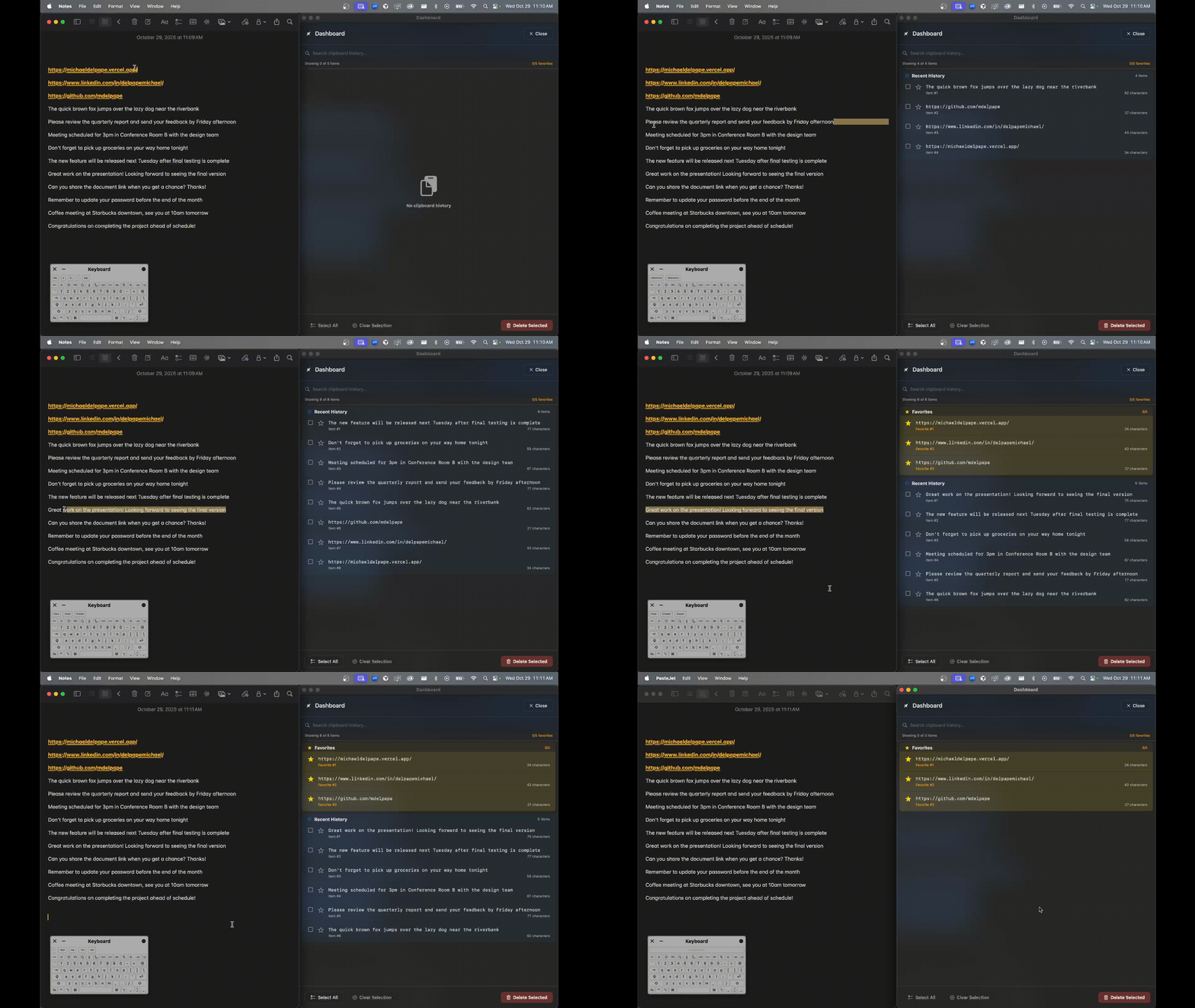
Copy Anything
Just use Command+C. PasteJet runs silently in the background, indexing text and images securely.
Hold Command+V
Instead of tapping, hold the shortcut for a split second. Your history popup appears instantly at your cursor.
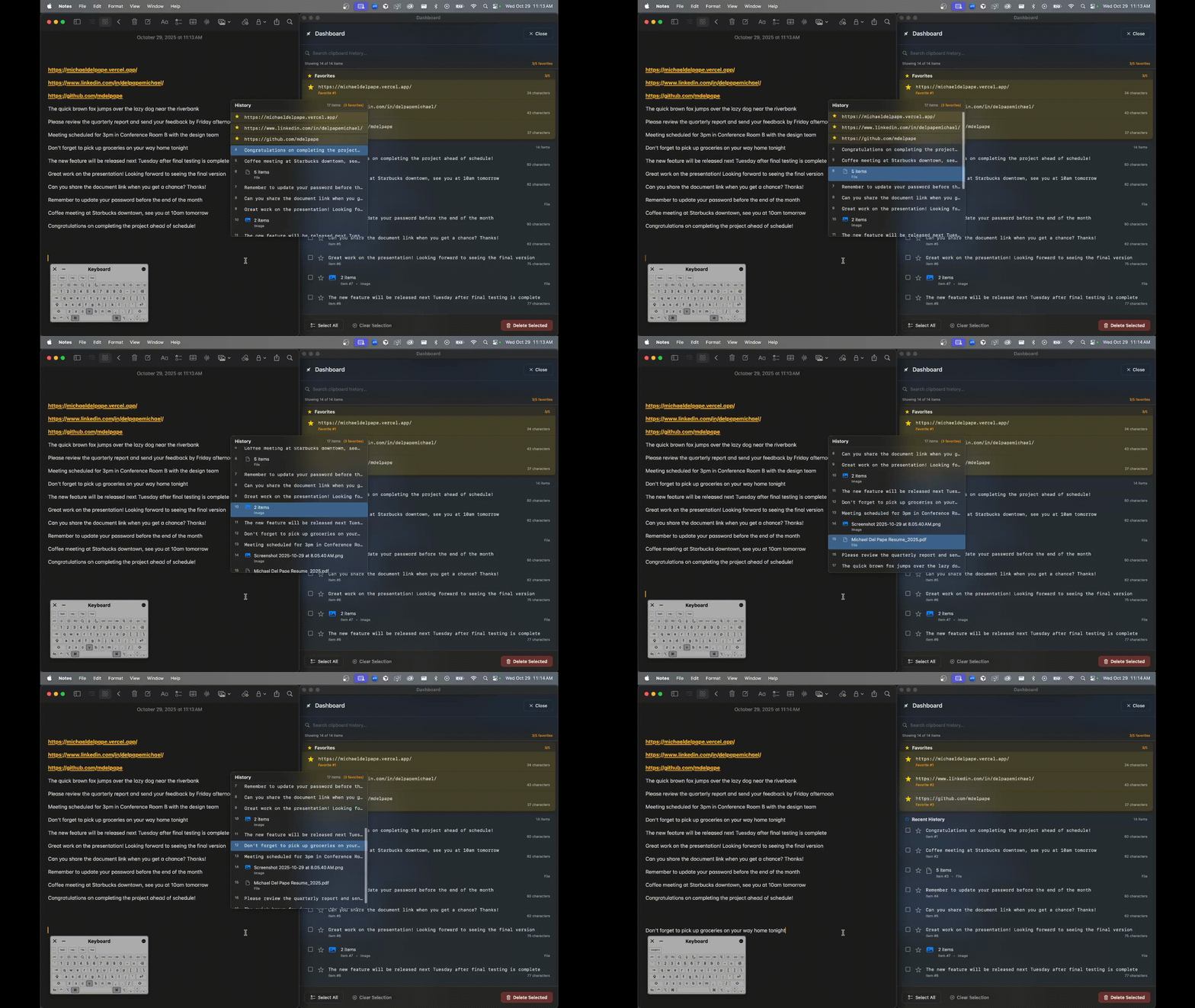
Navigate & Release
Use arrows to select an item or AI response. Release keys to paste directly into your active app.
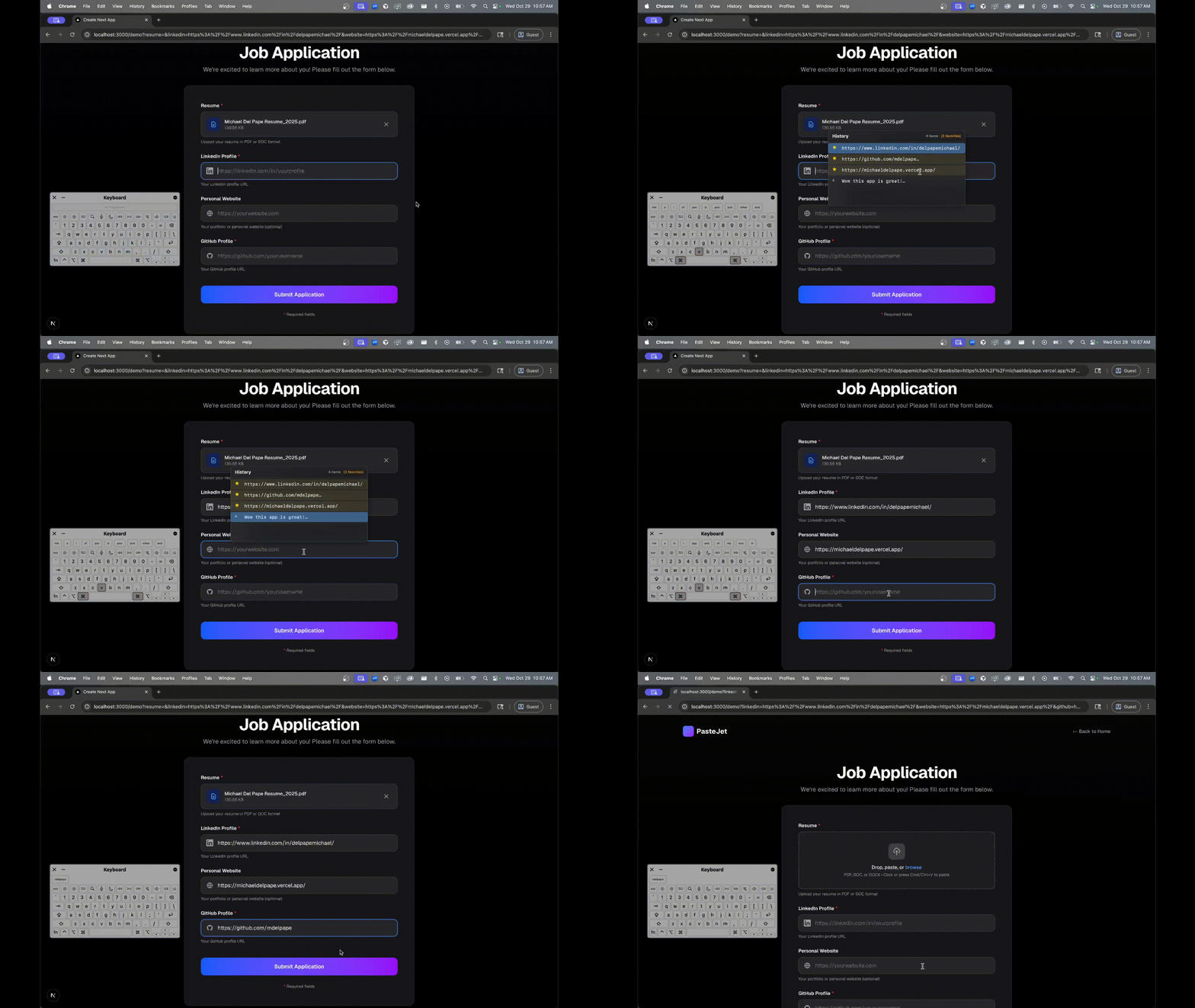
Full Dashboard Power
For deep dives, open the main window. Search through weeks of history, organize snippets, or manage your AI preferences.
- Full-text search across history
- Keyboard-first navigation
Supercharge your workflow.
Join the beta and change how you copy-paste forever.
macOS 14.6+ (Universal Binary) • Lifetime License